Use arrow keys to navigate.
Reveal
A framework for easily creating beautiful presentations using HTML.
HTML JavaScript CSS
<div class="reveal">
  <div class="slides">
    <section>
      <h1>Slides</h1>
      <p>using reveal.js</p>
    </section>
    <section>
      <section data-background-color="#FFCDB2">
        <h2>Simplicity is prerequisite for reliability</h2>
        <p>Edsger Dijkstra</p>
      </section>
      <section data-background-color="#84DCC6" data-background-transition="zoom">
        <h2>If you can't explain it simply, you don't understand it well enough</h2>
        <p>Albert Einstein</p>
      </section>
    </section>
    <section>
      <iframe width="560" height="315" src="https://www.youtube.com/embed/7Pq-S557XQU" allowfullscreen></iframe>
      <p>CGP Grey</p>
    </section>
  </div>
</div>
Reveal.initialize();
.reveal * {
  color: #555;
}

.reveal h1 {
  font-size: 8rem;
}

.reveal h2 {
  font-size: 4rem;
}

.reveal p {
  font-size: 3rem;
  margin: 2rem 0;
}
Impress
It’s a presentation framework based on the power of CSS3 transforms and transitions in modern browsers and inspired by the idea behind prezi.com
HTML JavaScript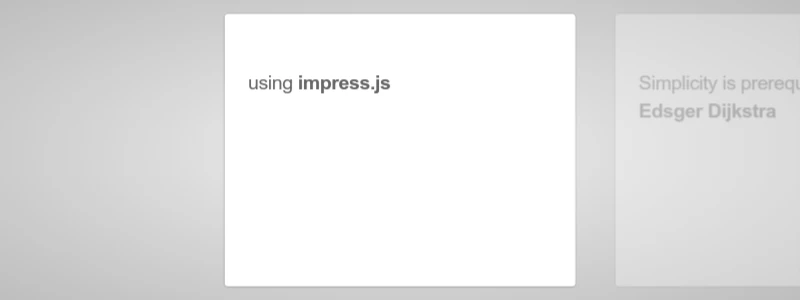
<div id="impress">
  <div class="step slide" data-x="-1000" data-y="-1500">
    <q>using  <strong>impress.js</strong></q>
  </div>

  <div class="step slide" data-x="0" data-y="-1500">
    <q>Simplicity is prerequisite for reliability<br><strong>Edsger Dijkstra</strong></q>
  </div>

  <div class="step" data-x="0" data-y="0" data-scale="4">
    <q>If you can't explain it simply, you don't understand it well enough<br>
    <strong>Albert Einstein</strong></q>
  </div>

  <div class="step" data-x="850" data-y="3000" data-rotate="90" data-scale="5">
    <iframe width="560" height="315" src="https://www.youtube.com/embed/7Pq-S557XQU" frameborder="0" allowfullscreen></iframe>
    <br><a href="https://www.youtube.com/user/CGPGrey">CGP Grey</a>
  </div>

</div>

<script src="https://cdn.rawgit.com/impress/impress.js/master/js/impress.js"></script>impress().init();
I personally prefer impress.js, it’s more powerful, updated and at least as easy as reveal.js